Chinese text tool
Chinese Word Counter & Character Counter
Count Chinese characters and estimated words as you type. See Hanzi separately from punctuation, spaces, letters and digits — free, with no signup.
Detailed breakdown
About Chinese Word Counter · Guides and FAQs
Chinese character count vs. word count
Check a Chinese essay, translation or caption without counting by hand. Paste simplified, traditional or mixed Chinese-English text to see the Hanzi count, estimated word count, sentences and paragraphs. The input also shows the total number of characters, including spaces and punctuation.
A Chinese word can contain more than one character: 学生 has two Hanzi and is usually counted as one word. For an assignment or translation quote, check whether the requirement refers to characters or words, then use the matching result.
Counting runs in your browser. The text you enter is not uploaded for analysis, and Copy text keeps your original passage ready to paste elsewhere.
What it does
Chinese characters counted separately
CJK ideographs are counted on their own line, so 「Hello,你好!」 reports 2 Chinese characters rather than being lumped in with the Latin letters and punctuation.
Estimated words, with segmentation explained
Word boundaries are identified by your browser's word segmenter, including words and numbers in mixed-language text. When segmentation is unavailable, an estimate is used. Different tools may return different word totals; Hanzi count is shown separately.
Sentence and paragraph breakdown
Sentences are split on 。!?; and their Latin equivalents, so you can see structure at a glance and spot runaway sentences in a draft.
Total characters and whitespace
The input shows its total character count as you type, while the detailed breakdown reports whitespace separately for limits that treat spaces differently.
Reading time estimate
A rough reading-time estimate using 300 units per minute, with each Hanzi and Latin-script word contributing one unit. Use actual audio playback to time a voiceover.
Entirely client-side
The text counter works without an account. Its calculations stay in your browser, and input text is not uploaded for counting.
How to use it
- 1Paste or type your Chinese textPaste a sentence, essay, chat passage or copied subtitle text. You can include Chinese and English in the same passage.
- 2Read the countsThe statistics update as you type. Use Chinese characters for the Hanzi count or Words for the segmented word estimate. The input shows the total character count.
- 3Check the detail breakdownExpand the breakdown to see punctuation, Latin letters, digits and whitespace counted separately — helpful when a limit only applies to the Chinese portion.
- 4Copy your text or start againChoose Copy text to keep your original passage after editing. Clear the box to count a new text, or use Try an example to explore the breakdown.
What people use it for
- Checking that an HSK writing task hits its character minimum
- Checking source-text length for a translation quote
- Fitting a Weibo post, a video title or an app string into a hard character limit
- Getting a rough reading-time estimate for a passage
- Measuring how much new material is in a textbook chapter
Frequently asked questions
What counts as a Chinese character in this tool?
Han ideographs in the tool's supported CJK ranges, including simplified and traditional characters. Chinese characters excludes punctuation, Latin letters and digits; Total characters includes them, along with spaces and line breaks.
Why is the word count lower than the character count?
One Chinese word can contain several characters: 学生 has two and 图书馆 has three. The word count uses segmentation rather than treating every character as a word, so its total can be lower. Use the counting rule specified by your assignment or client.
Does the Chinese character count include punctuation and spaces?
The Chinese characters result counts Hanzi only. The total beside the input includes punctuation, symbols, spaces and line breaks. Open Detailed breakdown to see punctuation, letters, digits and whitespace separately.
Does the counter handle traditional characters?
Yes. Simplified and traditional characters live in the same Unicode ranges, so 漢字 and 汉字 are both counted as two Chinese characters. The tool makes no attempt to convert between the two.
Is my text sent anywhere?
Your input is processed locally for counting and is not uploaded for analysis. Copy text copies the original passage to your clipboard.
How is reading time estimated?
The tool divides the combined Hanzi and Latin-word total by 300 units per minute. For a voiceover, use a timed reading or listen to your text with Chinese Text to Speech.
Chinese Text to Speech →Can I count an entire document?
Paste the document's plain text into the box. For a PDF or Word file, copy its text first; direct file upload is not part of this counter.
Blogs and further reading
In-depth articles covering the background behind this tool.
Last reviewed
Other Chinese Tools
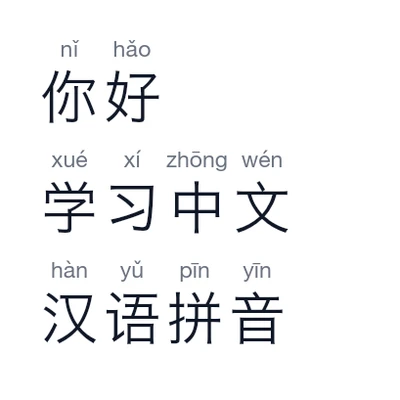
Pinyin Converter
Convert Chinese to pinyin, correct readings and copy or download
Open the tool →
Chinese Text to Speech
Hear Mandarin with pinyin and download audio or video
Open the tool →
Chinese Text Image Generator
Create PNGs with pinyin, highlight character parts or remove strokes
Open the tool →
Chinese Name Translator
See your name in Chinese with pinyin, audio, stroke order and a name card.
Open the tool →