Speaker 1Speaker 200:51 – 00:51
Chinese Audio to Text
Turn Chinese interviews and conversations into editable transcripts with speaker labels, pinyin and English translation. Explore the sample below, or sign in to transcribe your own recording.
Try the transcript editor
A prepared sample with pinyin and English. Your edits stay in this preview.
00:00 / 00:51
About Audio to Text · Guides and FAQs
Transcribe Chinese audio to text you can work with
Turn a Chinese recording into a transcript you can read, correct and share. Upload an MP3, M4A or WAV file, then follow the Chinese text as the audio plays. Speaker labels and timestamps help you find a reply in an interview or return to a sentence you want to check.
For Mandarin study, add pinyin above the characters and English translation below each paragraph. Keep the Chinese, pronunciation and meaning together while you review. When the transcript is ready, export a Word document for further editing or a PDF for reading and printing; choose PDF when you want to include pinyin.
Start with the interactive sample to explore the editor before signing in. For your own recording, select Transcribe your audio and check the free credits available in your account before uploading.
What it does
Chinese transcription with speaker labels
Enable Identify speakers when uploading a conversation. Rename speakers and correct paragraph assignments in the editor so you can keep track of who said what.
Listen, locate and correct
Play your recording while following the highlighted text. Use timestamps to return to a passage, then edit the Chinese wording, punctuation or speaker label as you review.
Pinyin and English alongside Chinese
Switch on Pinyin to read the pronunciation or English to prepare a paragraph-by-paragraph translation. Correct readings and edit the English text in the same transcript.
Original and filler-free versions
Choose whether to remove filler words when uploading. You can generate the other version later while the recording is available; the editor shows the credit cost needed before you confirm.
Word and PDF exports
Download the complete selected version with speaker labels and optional timestamps. Include English in Word or PDF, and add pinyin to a PDF for a printable reading copy.
An editor you can try first
Explore a prepared conversation with both transcript versions, audio, pinyin and English. Try local edits and document settings, then reset the sample when you want to start again.
How to use it
- 1Upload your Chinese recordingSelect Transcribe your audio, sign in, and choose an MP3, M4A or WAV file. Check your remaining free credits, then choose whether to identify speakers and remove filler words before selecting Transcribe.
- 2Review the Chinese transcriptOpen the completed transcript, play the recording and check names, numbers and speaker changes. Edit paragraphs and rename speakers to make the conversation easy to follow.
- 3Add pinyin or English translationTurn on Pinyin for free, or turn on English and confirm the displayed credit cost. Review the prepared readings and translation alongside the Chinese, and make any corrections before exporting.
- 4Export the version you needChoose Export, select Word or PDF, and choose whether to include English. For pinyin, select PDF and check Pinyin. Timestamp and appearance settings let you prepare a reading copy or a document for further editing.
What people use it for
- Interviews: label the interviewer and guest, replay an answer, and check the wording before using a quote.
- Meetings and conversations: keep contributions under the right speaker and export a readable transcript for your notes.
- Mandarin listening practice: compare what you heard with Chinese characters, then use pinyin and English to work through an unfamiliar sentence.
- Teaching materials: turn a recording into a reading handout with speaker labels, English translation and optional pinyin in PDF.
Frequently asked questions
Can I try the transcript editor before signing in?
Yes. The sample includes prepared original and filler-free transcripts, pinyin, English translation and audio. You can edit it locally and adjust its appearance. Sample changes are not saved to your account.
Can I turn Chinese audio into English text?
Yes. After transcribing your Chinese recording, turn on English and review the credit cost before generating a translation alongside the Chinese transcript. You can edit the translation before exporting.
Which audio files can I upload?
MP3, M4A and WAV files up to 2 GB. Each recording must fit your remaining free credits, which are displayed in the upload dialog.
Can I transcribe Chinese audio to text for free?
Yes. Sign in for 100 free credits each day, shared by transcription, English translation and Text to Speech. Transcription uses 10 credits per minute, rounded up in 6-second units; English translation uses 1 credit per 100 source characters. Credits reset at 00:00 UTC and do not carry over. The sample, pinyin, editing and exports are free.
Can I convert Chinese audio to pinyin?
Yes. Transcribe the recording into Chinese characters first, then turn on Pinyin to show Mandarin readings above the text. You can correct a reading in the editor and include pinyin in a PDF export.
Can it identify different speakers?
Yes. Leave Identify speakers enabled when you upload a conversation. In the transcript, you can rename speakers and change the speaker assigned to a paragraph after listening to it.
What does the Filler-free switch do?
It selects the version with filler-word removal enabled. If that version has not been generated, the editor asks before processing the recording again and shows the credits required. Once both versions are ready, switching between them is free and each keeps its own edits.
Can I export the transcript to Word or PDF?
Yes. Export the selected version as an editable Word document or a PDF, with optional timestamps and English translation. Choose PDF to include pinyin above the Chinese characters.
How do I check a Chinese transcript before sharing it?
Replay the relevant paragraphs and check names, numbers, negation and speaker labels against the recording. Correct the Chinese first, then review any English translation and pinyin before downloading the final document.
Can I add pinyin when I already have the Chinese text?
Yes. Use the Pinyin Generator for an existing passage of Chinese text. Use Audio to Text when your starting point is a recording and you want a transcript with playback and speaker labels.
Pinyin Converter →Blogs and further reading
In-depth articles covering the background behind this tool.
Audio translation · 4 min readHow to Translate Chinese Audio to English TextTurn a Chinese recording into an English translation you can check: transcribe the audio, review the Chinese, edit the English, and export Word or PDF.Read the guide →Transcription guide · 4 min readVerbatim vs Clean Transcription: Chinese ExamplesChoose what to keep in a Chinese transcript. Compare verbatim and clean transcription with examples, then review original and filler-free versions.Read the guide →
Last reviewed
Other Chinese Tools

Chinese Text to Speech
Hear Mandarin with pinyin and download audio or video
Open the tool →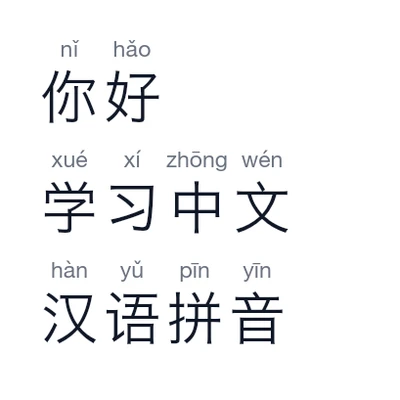
Pinyin Converter
Convert Chinese to pinyin, correct readings and copy or download
Open the tool →
Chinese Name Translator
See your name in Chinese with pinyin, audio, stroke order and a name card.
Open the tool →
Chinese Word Counter
Count Hanzi, words and punctuation in Chinese text
Open the tool →