Chinese handwriting practice
Practice Writing Chinese Characters Online
Enter your own characters or words. Write each stroke in order, get feedback, and practice the characters that need another try.
Learn each stroke by writing it.
Enter your words, then trace each character in order. Get a hint when you need one.
No account needed. Works with a finger, mouse or pen.
About Writing Practice · Guides and FAQs
Practice Chinese handwriting with your own words
Turn a lesson or vocabulary list into an online writing session. Enter up to 50 Chinese characters, separated into words with spaces or punctuation. Word order and repeated characters are preserved.
Trace the outline with your finger, mouse or pen, or hide it to practice recalling the character. Correct strokes stay on the canvas. An incorrect attempt clears so you can try that stroke again.
What it does
Stroke-by-stroke feedback
The tool checks the expected stroke, direction and approximate shape. After two incorrect attempts on the same stroke, a hint demonstrates it. It does not grade handwriting beauty.
A focused second round
After finishing a set, retry the characters where you made a mistake or used a hint. Skipped characters remain separate from completed characters.
Continue on paper
Send the same characters or words to Writing Worksheets to prepare printable practice sheets.
Resume in this browser
Your input and character-level progress are saved locally when browser storage is available. An unfinished character restarts at its first stroke.
How to use it
- 1Add your wordsType or paste Chinese text, then start practicing. Use spaces or punctuation to mark word groups; the tool does not guess word boundaries.
- 2Write in stroke orderDraw one stroke at a time. Use Hint for the current stroke or Watch to see the whole character without losing your accepted strokes.
- 3Review and keep practicingChoose Next after completing each character. At the end, retry characters with mistakes or hints, revisit skipped characters, or create a worksheet.
What people use it for
- Practicing words from a Chinese lesson
- Reviewing simplified or traditional characters
- Moving from tracing to writing without an outline
Frequently asked questions
Is this Chinese writing practice tool free?
Yes. You can practice up to 50 characters in a set without an account. Your latest input and character-level progress stay in this browser when local storage is available.
Can I use traditional Chinese characters?
Yes, when stroke data is available. Your input is preserved without conversion. Stroke-order guidance follows the same mainland Chinese conventions as our Stroke Order Animator; it is not a Taiwan Ministry of Education stroke-order standard.
How does the handwriting correction work?
Each attempt is compared with the expected stroke, including its direction and approximate shape. Incorrect attempts clear; accepted strokes remain. Hints appear after two incorrect attempts. This is stroke practice, not a handwriting-quality score.
Does watching the animation complete a character?
No. You must write every stroke yourself. Watching preserves the strokes you already wrote and counts as a demonstration when the character is unfinished.
What if a character does not load?
Characters outside the stroke library are marked as unavailable. For a temporary loading failure, choose Retry loading. You can also skip the character and revisit it after the round.
Can I print these words as a worksheet?
Yes. Choose Practice these words on paper in the results to carry your text into Writing Worksheets. Supported two-to-four-character word groups open in Words mode; other sets open as individual characters in their original order.
Writing Worksheets →Blogs and further reading
In-depth articles covering the background behind this tool.
Last reviewed
Other Chinese Tools
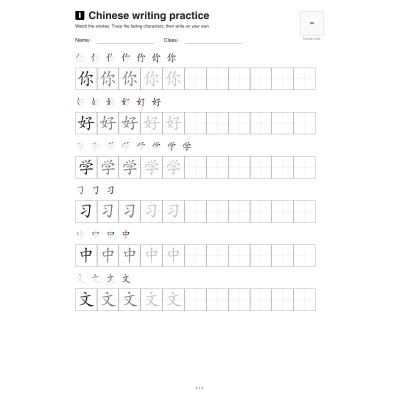
Writing Worksheets
Preview and print Chinese writing practice with stroke order
Open the tool →
Stroke Order Animator
Turn a Chinese character or sentence into a GIF or MP4
Open the tool →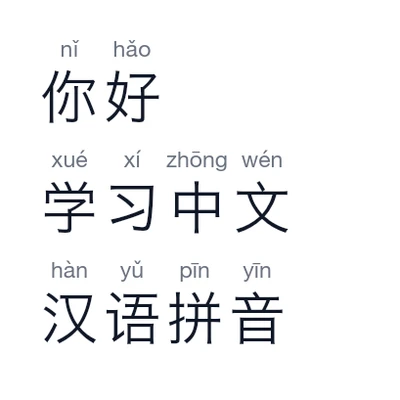
Pinyin Converter
Convert Chinese to pinyin, correct readings and copy or download
Open the tool →
Pinyin Chart
Explore Mandarin initials, finals, and tones with audio and examples.
Open the tool →